Model Training and Testing
In the section, you can train deep learning models for various AI tasks (e.g., object detection) using generated datasets.
Model Training
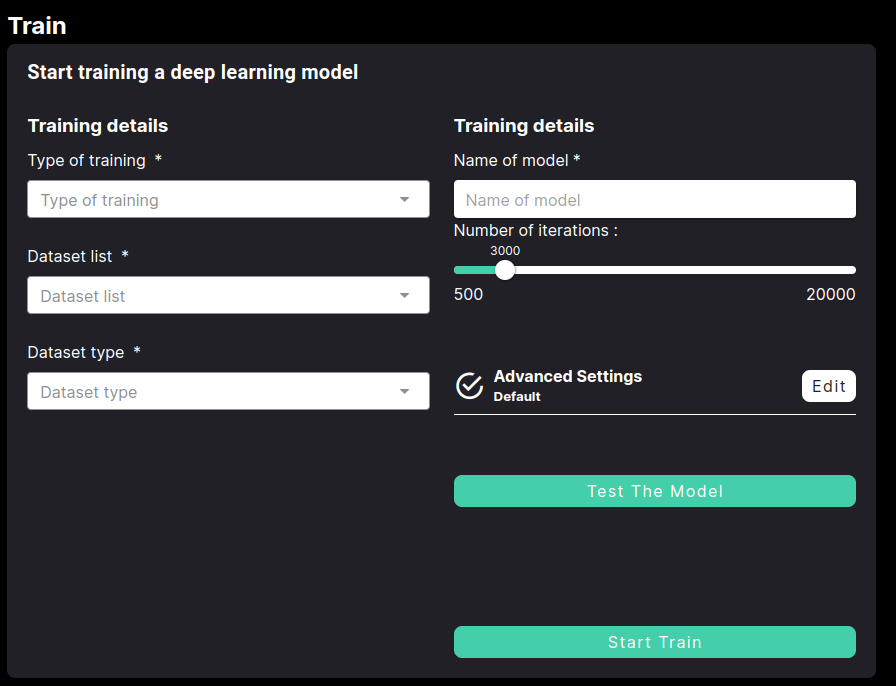
Training parameters
The training interface allows you to configure the following parameters:
Parameter |
Description |
|---|---|
Type of training |
Select the task for training
|
Method |
Choose an available method (e.g., neura_DLIS1) for the selected task. The method determines the algorithm and architecture used for training. |
Dataset list |
Choose the dataset(s) for training from available datasets. |
Dataset type |
Choose the dataset type (e.g., real, synthetic etc.) |
Name of model |
Provide a custom name for your model (e.g., my_first_model). |
Number of Iterations |
Define the total number of training steps using the slider (e.g., 500 iterations for small datasets of ~30 images, 2000 iterations for medium datasets [~200 images]). |
Advanced Training parameters
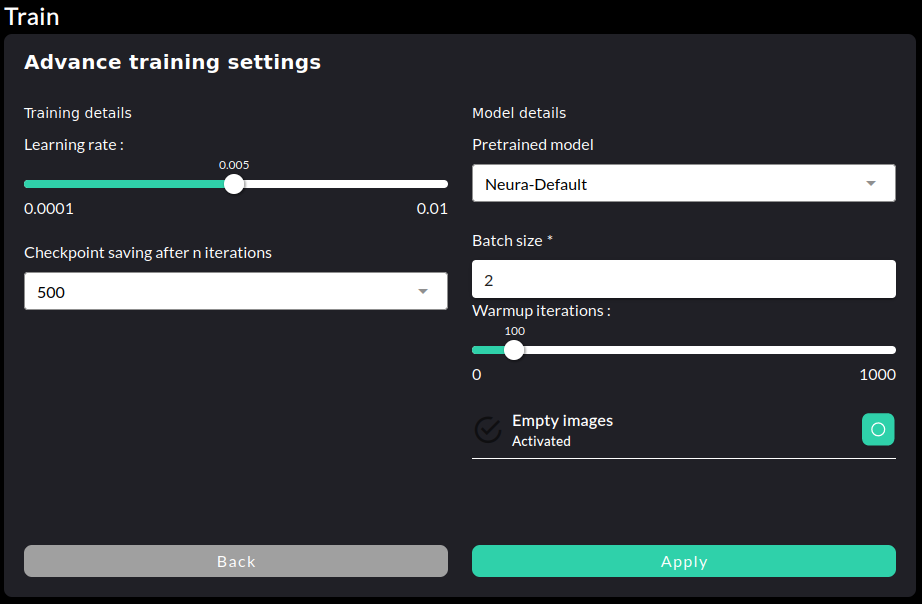
Click on to access and adjust advanced hyperparameters for model training.
Parameter |
Description |
|---|---|
Learning rate |
Set the learning rate for training, which controls how much the model adjusts weights with each iteration. |
Checkpoint saving after n iterations |
Define the interval (in iterations) at which the training process saves checkpoints, enabling recovery and resuming from saved states. |
Pretrained model |
Choose a pretrained model as the starting point for training. |
Batch size |
Specify the number of samples processed together during a single training step. |
Warmup iterations |
Define the number of iterations for a warmup phase, during which the learning rate gradually increases to its configured value. |
Empty images |
Toggle the use of empty images during training. This option can help the model learn to handle cases with no objects detected in an image. |
Best Practices
Ensure clean, diverse, and representative datasets to enhance model performance and generalization.
Different lighting conditions and varied backgrounds
Vary object positions and camera angles
When training a model with multiple objects, provide approximately the same amount of data for each object to maintain balance and prevent bias.
Incorporate both synthetic and real datasets to improve model robustness and adaptability to real-world scenarios.
Include data about the actual use-case environment.
Model Testing
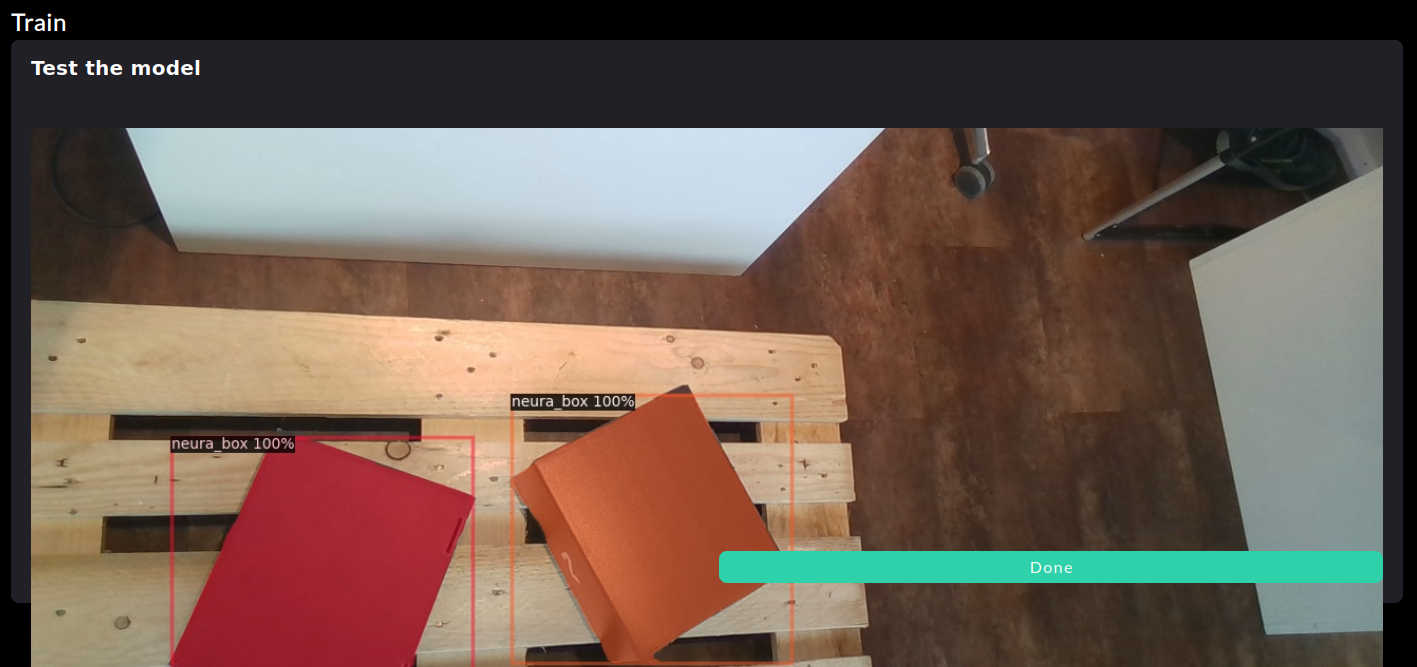
A trained model’s qualitative performance can be evaluated by making live inferences. Click on to choose the model to be tested on the live camera feed.